Lunio AI
An AI image editor that combines references, text intent, and composition controls to generate or repair images with Gemini through a structured, reproducible workflow.
Lunio AI is an image editing and generation environment that turns creative intent into a structured request for Gemini models. The application combines reference imagery, a text prompt, visual presets, composition controls, and history in a workflow designed for fast experimentation, keeping visible the controls that would normally be hidden inside a model call.
The central problem is the fragility of monolithic prompt workflows: every adjustment requires rewriting instructions, references, and parameters, making it difficult to repeat a composition or understand why a result changed. Lunio AI addresses this by separating intent into editable dimensions, with canonical catalogs for styles, poses, camera, and creative domains, as well as explicit modes for preserving the raw prompt or running a focused aesthetic repair pass.
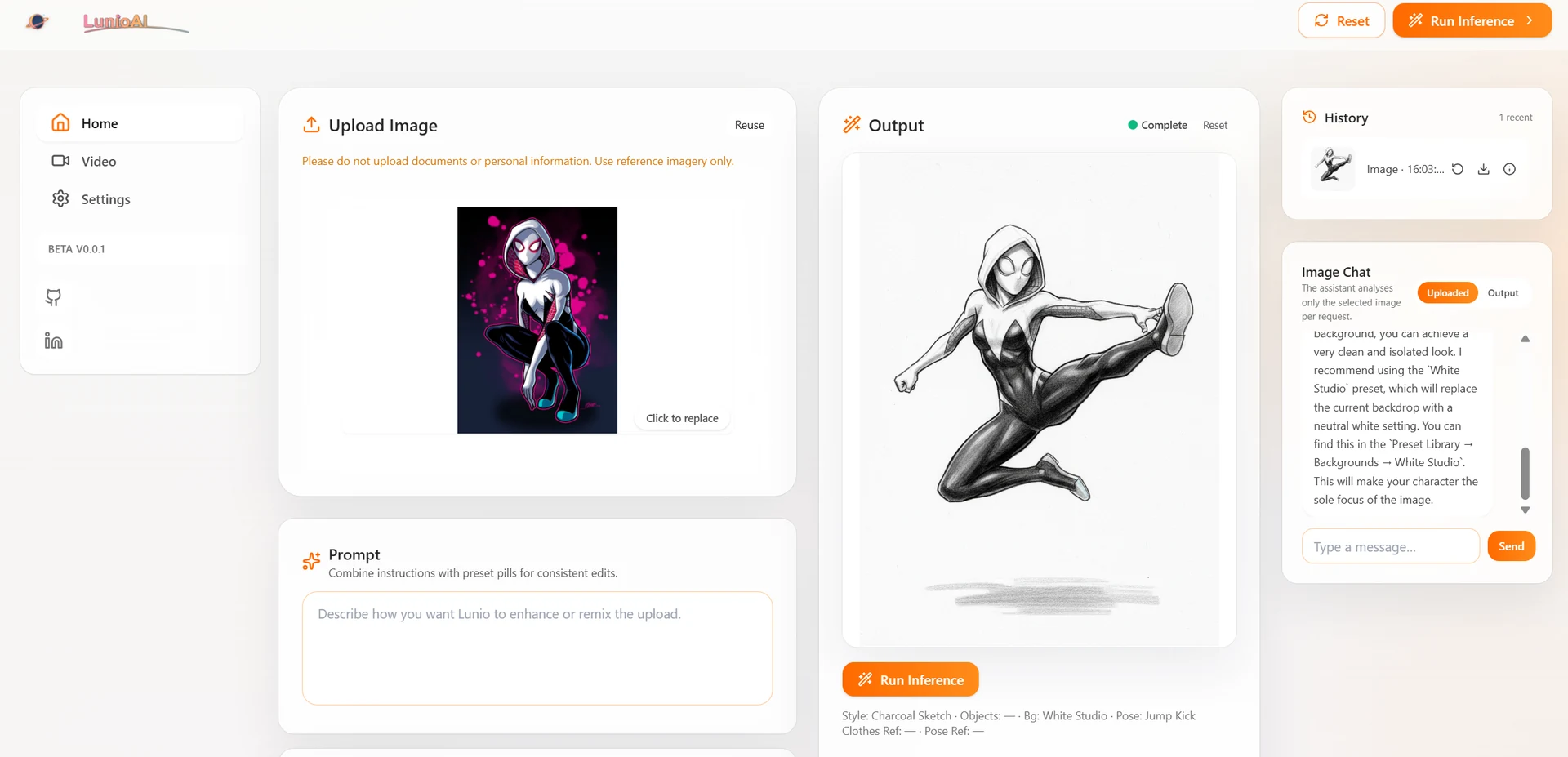
In the React, Vite, and Tailwind CSS frontend, users upload an image, describe the goal, and combine the available controls. The prompt builder merges text, presets, camera, and references with sampling parameters; the Express API then recomposes the request from canonical catalog IDs, injects guardrails and negatives, and preserves the behavior of each mode. The default path builds the complete instruction, Raw Prompt sends only the user text and sampling configuration, while Aesthetic Fix applies a repair directive for anatomy, duplicated parts, and intersections while ignoring presets, camera, domains, and references.
The backend resolves the model configuration and Gemini key from environment variables or Secret Manager, sends inline data for the source image and references together with generation settings, and persists generated results under public storage for the interface to consume. The output panel compares the result with the source, exposes metadata, and supports reruns; a history capped at forty runs keeps prompts, presets, camera, references, model, and mode flags, with a session copy cached in the browser. Image Chat uses the same Gemini integration with scoped instructions for analyzing either the uploaded image or the generated output.
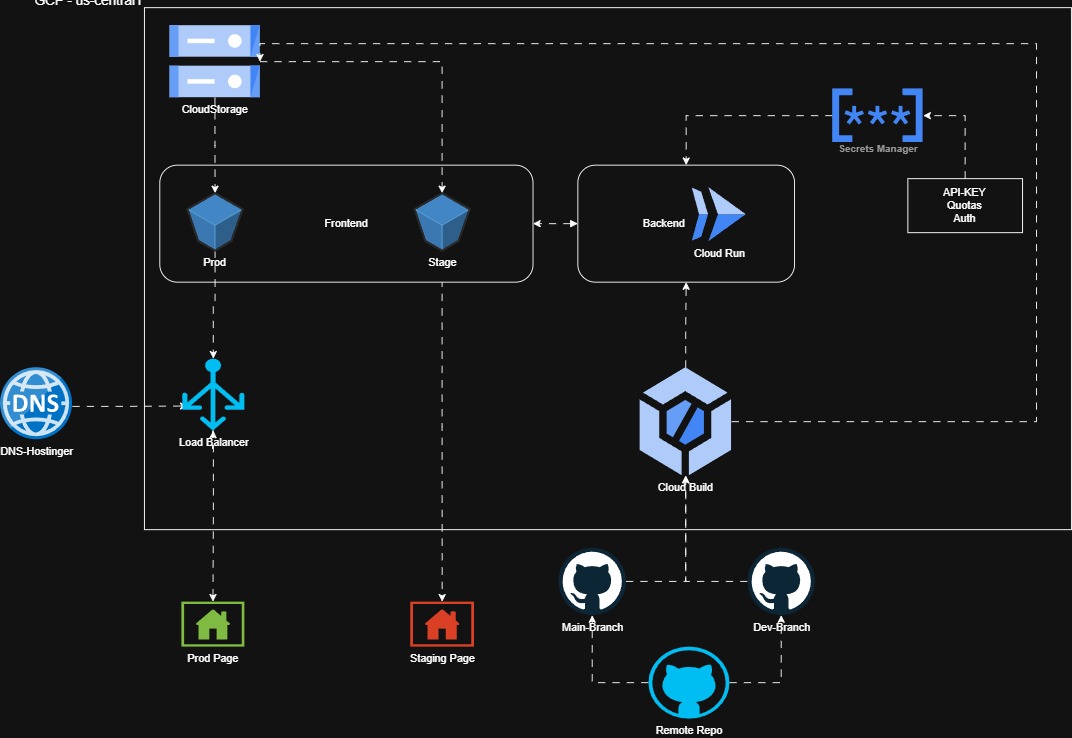
The result is a more controlled and reproducible creation workflow: users can explore variations without losing the structure behind each output, while the API centralizes guardrails, storage, and model selection. The architecture is also prepared for local environments and Google Cloud delivery, with a static frontend on Cloud Storage, a containerized API on Cloud Run, secrets in Secret Manager, and build and deployment automation through Cloud Build.
Solution overview